
WooCommerce Plugin Usage Guide
Learn how to use the EPaySe payment gateway in your WooCommerce store: checkout experience, order management, refunds, and troubleshooting.
Checkout Experience
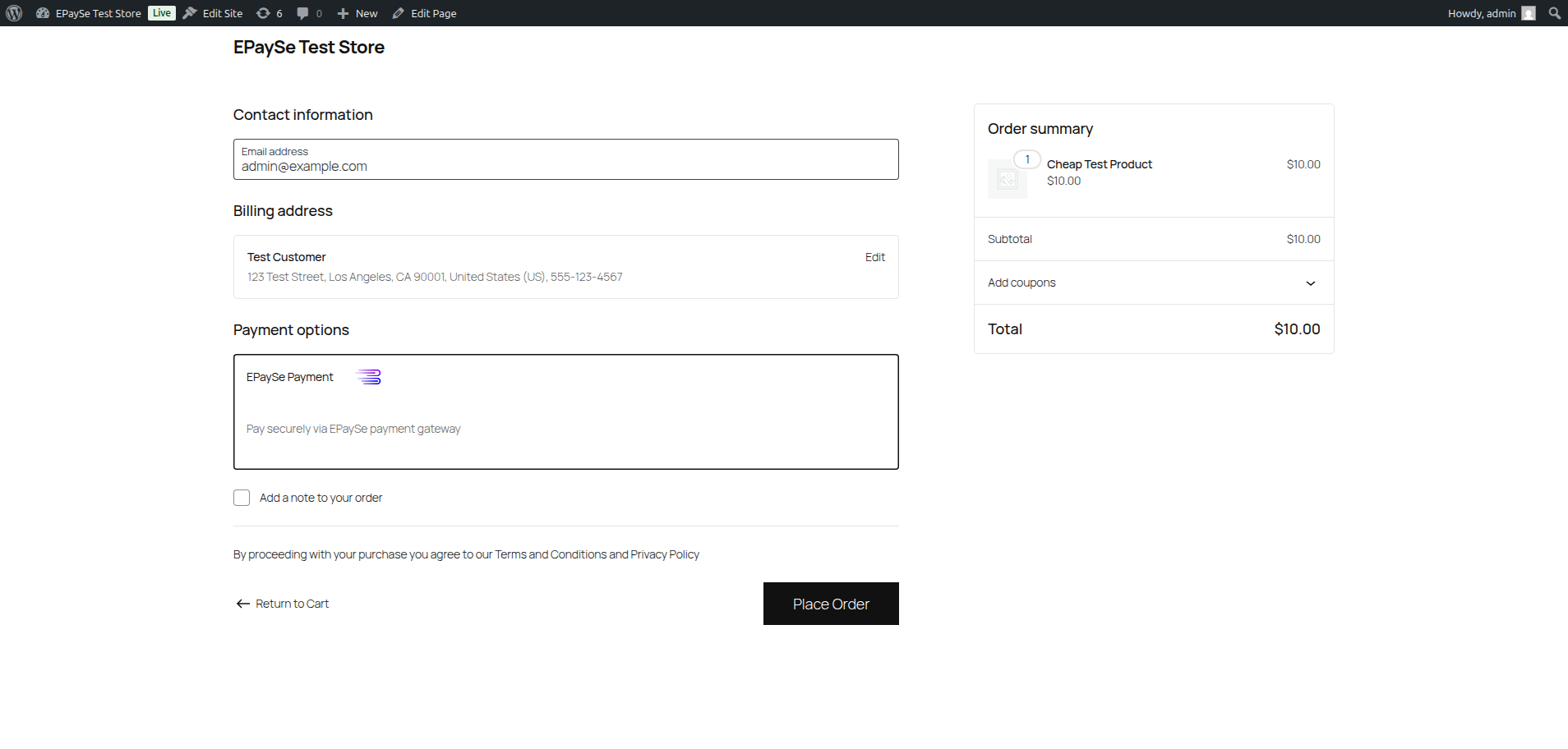
The EPaySe plugin supports two checkout modes. The mode is configured in the plugin settings.
Redirect Mode
In Redirect mode, the customer clicks "Place Order" and is redirected to the EPaySe hosted checkout page. After completing payment, they are returned to your store's order confirmation page.
Iframe Mode
In Iframe mode, the EPaySe payment form is embedded directly on your checkout page. The customer completes payment without leaving your site, providing a seamless experience.
Order Management
View Payment Details
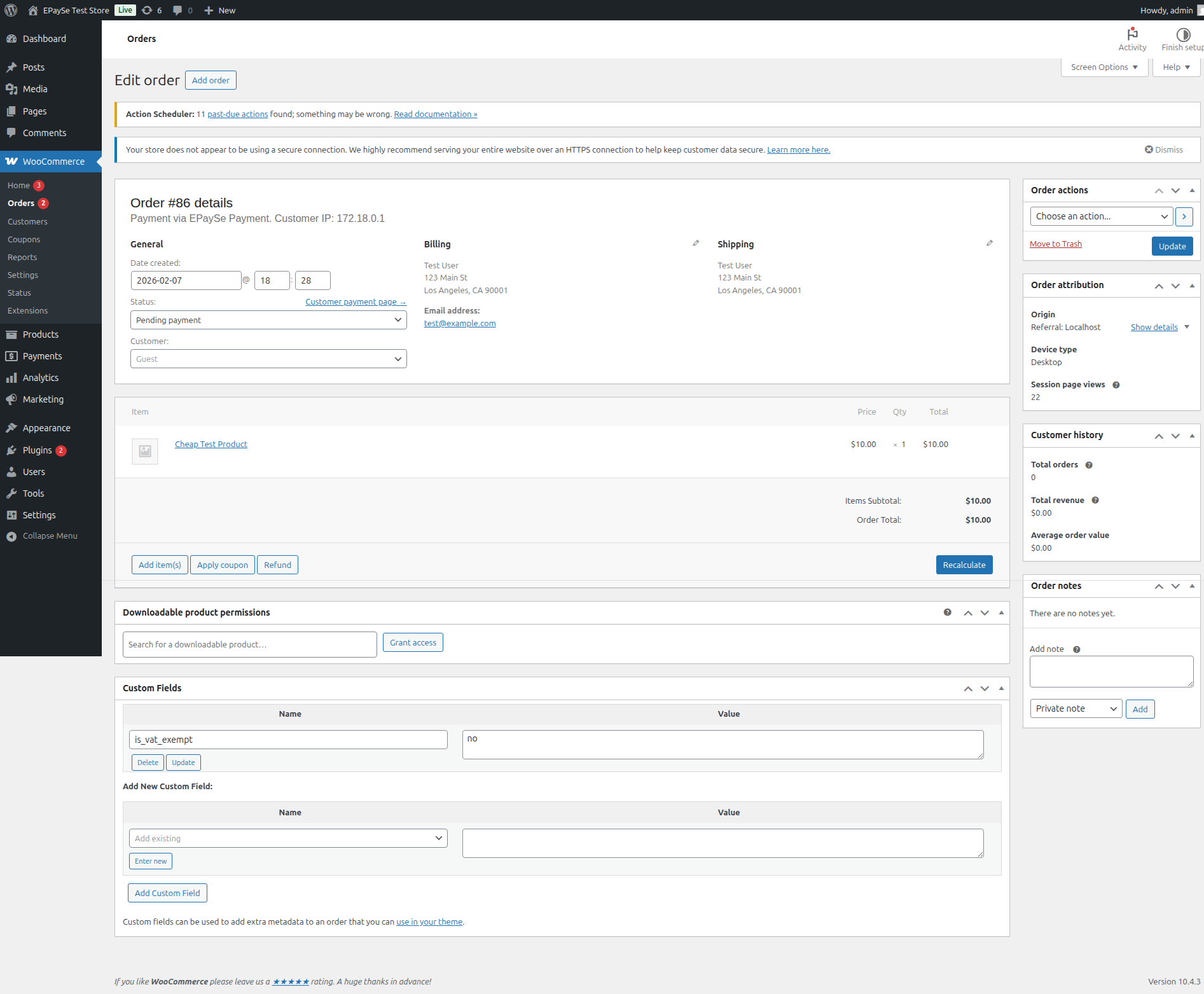
After a customer pays, the order detail page in WooCommerce displays EPaySe-specific information:
- Payment method: Shows "EPaySe Payment"
- Order notes: Webhook events are logged as order notes (payment completed, failed, etc.)
Transaction Statuses
The following table shows how EPaySe transaction statuses map to WooCommerce order statuses:
| EPaySe Event | WooCommerce Status | Description |
|---|---|---|
transaction.completed | Processing | Payment received successfully |
transaction.failed | Failed | Payment was declined or failed |
refund.completed | Refunded | Refund processed successfully |
refund.failed | Unchanged | Refund attempt failed, order note added |
Process Refunds
The EPaySe plugin supports both full and partial refunds directly from WooCommerce.
How to Refund
- Go to WooCommerce → Orders and open the order
- Click the Refund button below the order items
- Enter the refund amount (full order total or a partial amount)
- Optionally enter a reason for the refund
- Click Refund via EPaySe to process the refund through the EPaySe API
Refund vs Manual Refund
Webhook Events
The plugin listens for the following webhook events from EPaySe. Each event triggers an order status update and is logged as an order note.
| Event | Action |
|---|---|
transaction.completed | Marks order as paid, adds transaction ID to order, triggers WooCommerce "payment complete" flow |
transaction.failed | Updates order status to Failed, adds failure reason to order notes |
refund.completed | Confirms refund on the order, updates stock if applicable |
refund.failed | Adds a note to the order explaining the refund failure |
Debug & Troubleshooting
Enable Debug Logging
To troubleshoot issues, enable debug mode in the plugin settings:
- Go to WooCommerce → Settings → Payments → EPaySe → Manage
- Check Enable debug logging under Advanced Settings
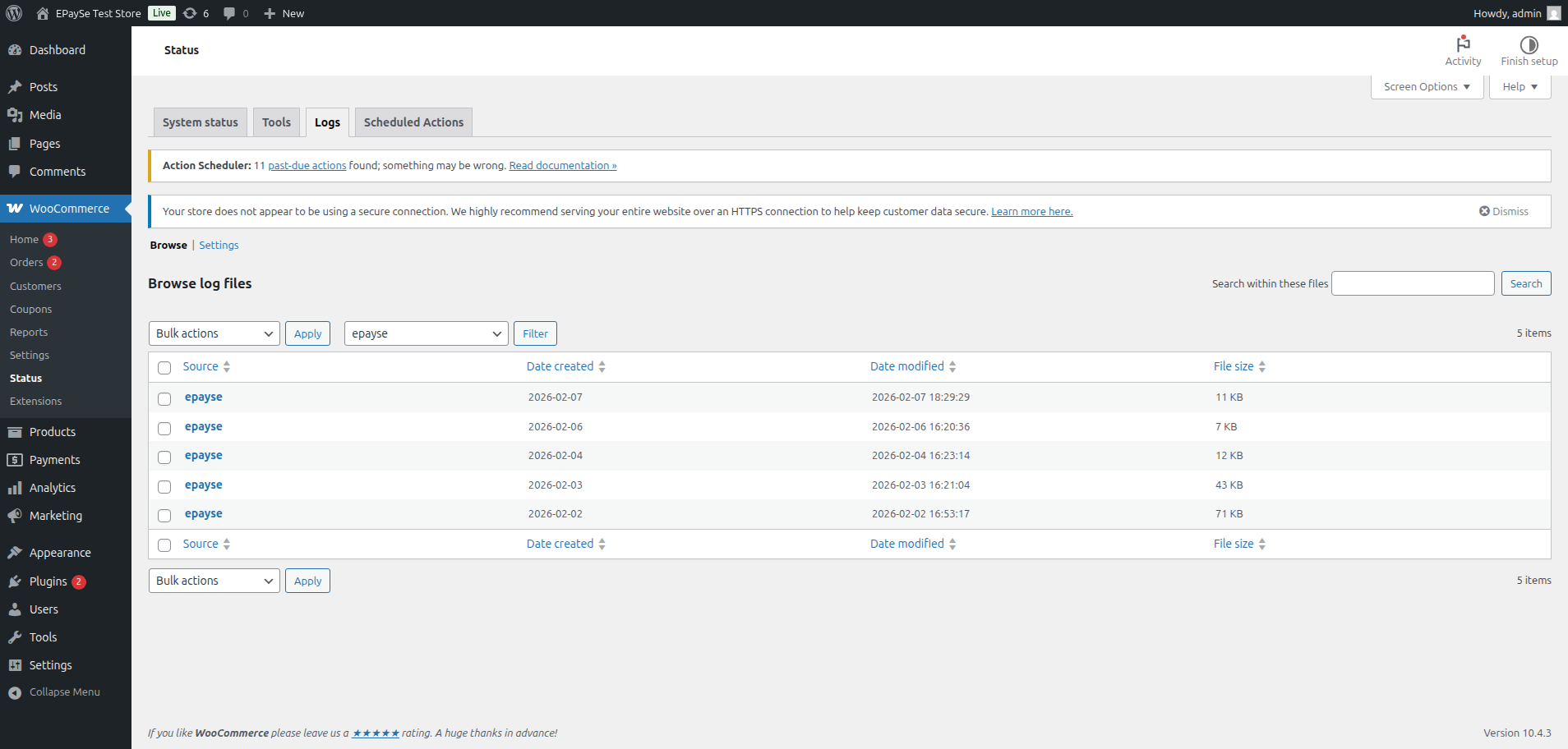
- View logs at WooCommerce → Status → Logs and filter by source
epayse
Common Issues
| Issue | Solution |
|---|---|
| Payment form not showing | Check that the plugin is enabled and API credentials are configured correctly |
| Order stuck on "Pending payment" | Verify webhook URL is correctly set in EPaySe dashboard and Webhook Secret matches |
| "Invalid signature" in logs | Ensure API Secret matches the one in your EPaySe dashboard. Regenerate if needed. |
| Webhook events not received | Ensure your site is accessible from the internet (not localhost) and SSL is enabled |
| Refund fails with API error | Check that the transaction was completed (not pending) and the refund amount does not exceed the original amount |
Related Resources
Explore installation instructions and API documentation.